Mobile PDF manager for private editing, scanning, merging, and splitting
Merges, splits, scans, and annotates PDFs entirely on-device, supporting conversion to Word and in-app reading. PDF Tools: Reader Converter, from Mohamed Sayed Tony, targets students and office professionals who need direct document handling on Android. The app bundles a camera scanner, merge and split controls, annotation pens and basic file management, making it suitable for single-device document workflows where privacy and offline use matter.
What the app handles and how it fits a mobile workflow
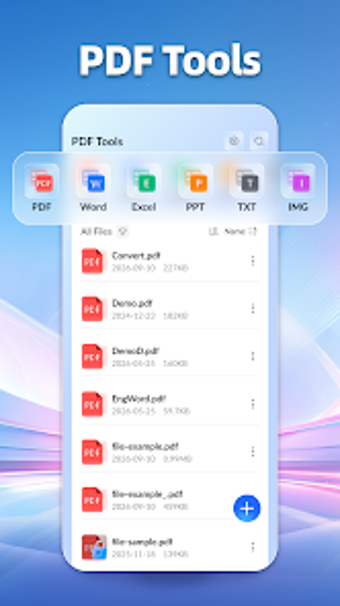
PDF Tools operates as a compact PDF workstation on Android, offering reading, annotation, merge, split, and conversion capabilities. The scanning function captures receipts or contracts with the device camera and saves them as PDFs, which the reader then opens and stores on the phone. That arrangement supports professionals who create and finalize documents entirely from a single handheld device.
How users assemble and edit documents during a session
The tool lets you combine multiple PDFs into one file with custom ordering and extract specific pages to form new documents. Annotation choices include highlight, underline, and freehand drawing, while conversion converts PDFs to Word formats while aiming to keep content integrity. These steps map to a clear linear workflow: scan or import, edit annotations, reorder or split, then export the resulting file on-device.
Onboarding, interface, and privacy implications for teams
The developer designed the interface with a deliberately plain layout, so there is no account creation and all operations process locally. That reduces onboarding friction: users can open the app and run tasks immediately without signing up. The local processing model also ensures documents do not leave the phone, which affects collaboration: sharing must rely on external channels rather than built-in cloud sync.
Compatibility, performance, and reliability with common formats
The app supports conversion between PDF and common formats such as Word and includes file management tools for viewing, renaming, and deleting documents stored on the device. Because conversions and edits run offline on the device, the reliability of processing depends on the phone rather than remote servers; that keeps files private and available without network access, and it avoids external uploads during conversion.
Practical pick for individuals needing private, device-based PDF work
PDF Tools suits individuals who handle contracts, notes, or reports on one Android device and prefer local processing without accounts. It does not provide built-in cloud collaboration, so teams requiring shared, server-hosted document workflows should look elsewhere. For solo professionals and students who value privacy and immediate mobile editing, it offers a focused, offline document workflow.